


Password Manager Vulnerabilities on iPhone: What You Need to Know
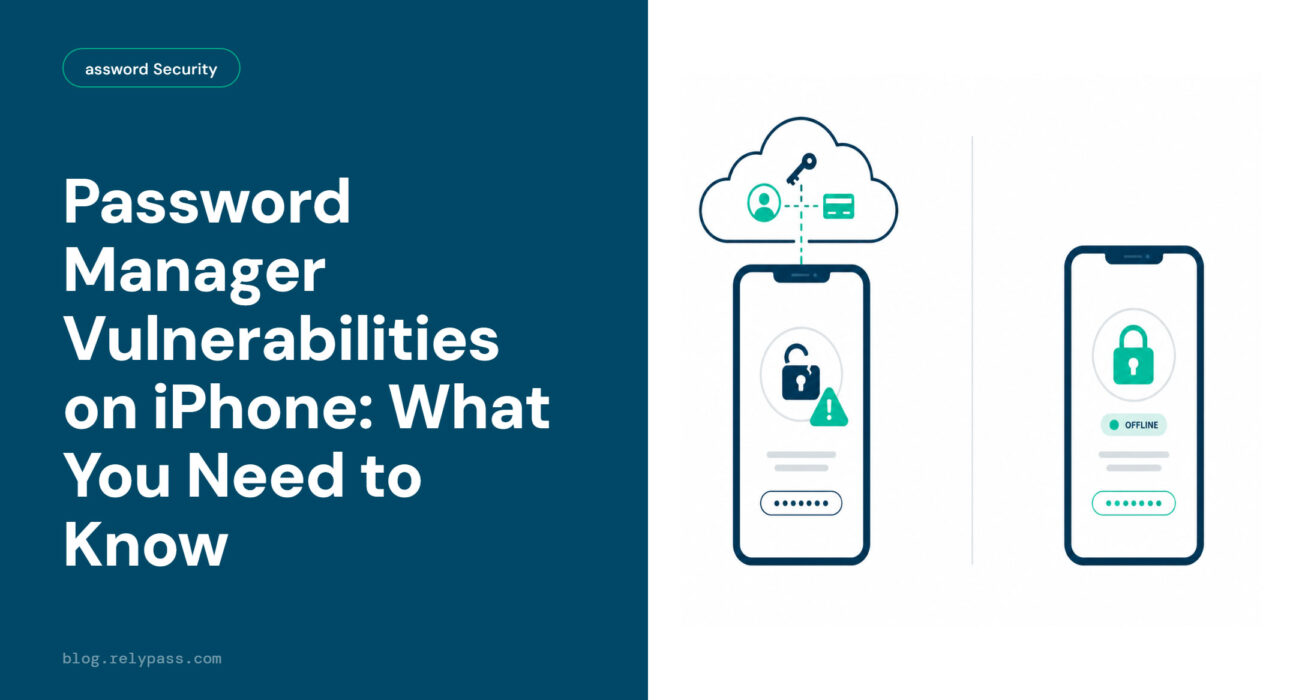
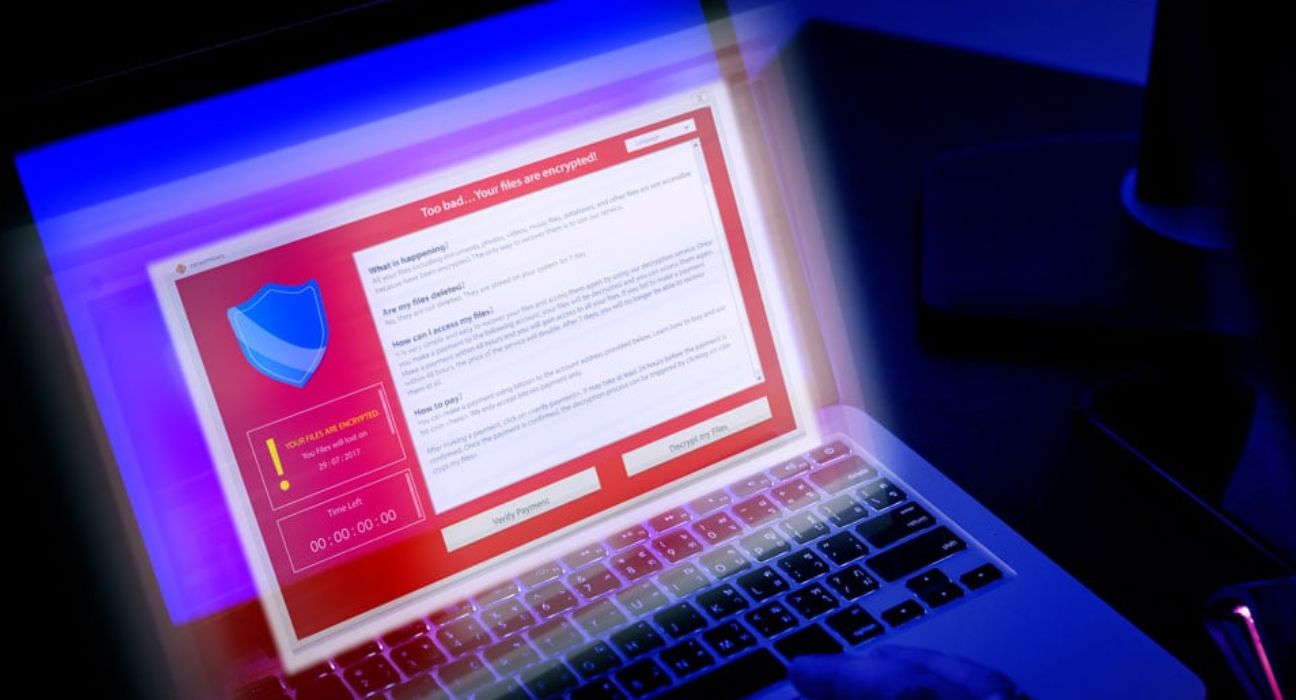
In 2022, hackers broke into LastPass and walked away with millions of encrypted password vaults. In 2025, Apple’s own Passwords app was sending user data over unencrypted connections for months. A security researcher had to catch it before anyone else noticed.
If you have been wondering whether your iPhone password manager is actually keeping your data safe, you are asking the right question.
Most articles will tell you password managers use encryption and leave it at that. That answer feels reassuring. It is also incomplete. Encryption did not stop the LastPass breach. It did not stop Apple’s own app from leaking data for months either.
This article covers the real password manager vulnerabilities iPhone users face every day. Everything is written in plain language with clear explanations of what the risks are and what you can actually do about them.
TLDR iOS password managers have five main vulnerabilities: weak master passwords, phishing attacks, server-side breaches, insecure app connections, and stolen device access. Most of these risks affect cloud-based apps specifically. If the company’s server is breached, your encrypted vault goes with it, as happened with LastPass in 2022. An offline iPhone password manager that stores data only on your device has no server to breach remotely. That eliminates the biggest structural risk entirely.
The 5 Real Password Manager Vulnerabilities iPhone Users Face
Let’s explore the top 5 password manager vulnerabilities on iPhone here that users usually face.
1. Weak or Reused Passwords
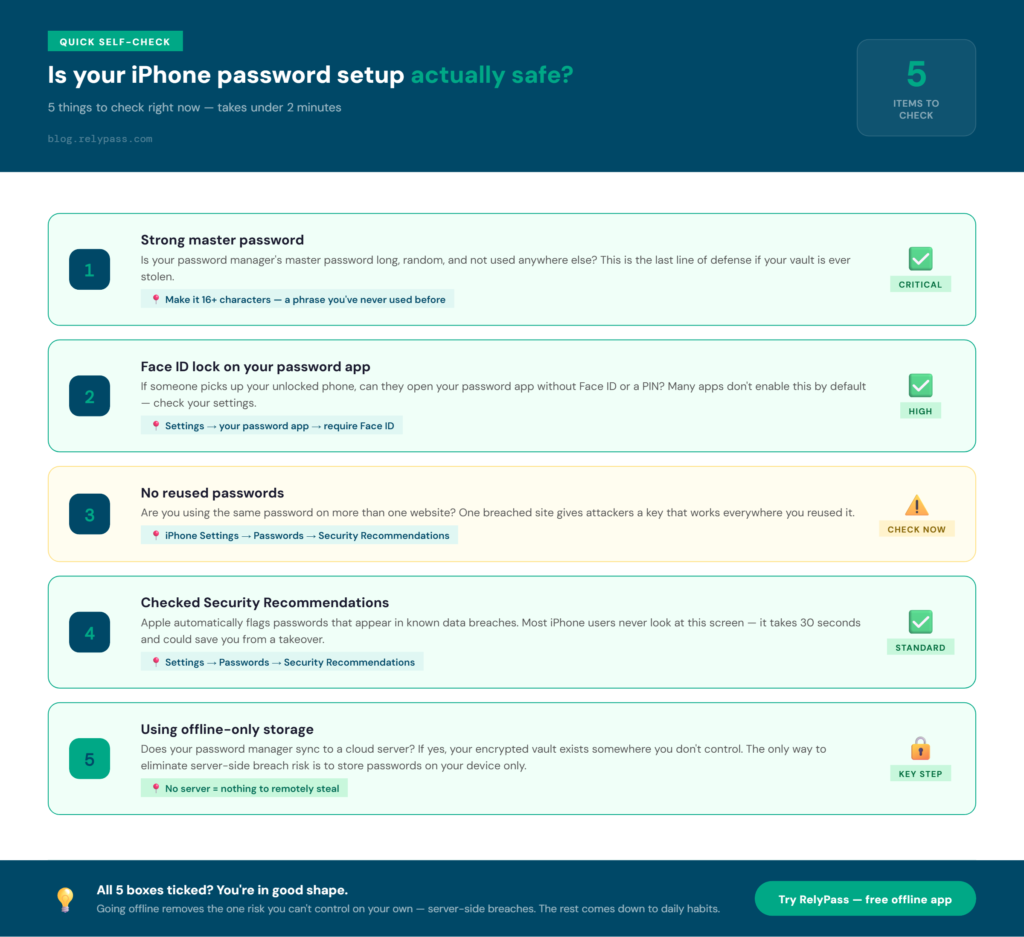
Your iPhone already checks this for you. Go to Settings, then Passwords, then Security Recommendations. If you see a warning about an apple weak or reused password, it means one of two things.
Either your saved password showed up in a known data breach, or you used the same password on more than one website.
This is a real problem. One breached website gives attackers a key that works on your other accounts too.
A password manager helps only when the passwords stored inside it are unique to each account. If they are not, the app ends up storing multiple risks in one place.
Go through your app and replace every apple weak or reused password with something long and random. That is the most basic and most important step you can take.
2. Phishing Attacks
Phishing is when someone tricks you into typing your password on a fake website. The page looks real. The address bar shows something close to the real URL. You enter your login details and send them straight to an attacker.
Password managers actually help with this. Most apps autofill passwords only on the exact website they were saved for.
If the URL does not match, the app will not fill anything in. That is a built-in check most users never think about. Even with that protection, phishing attacks on iPhone are still one of the most common ways accounts get taken over.
3. The Server-Side Breach: The One Risk Nobody Talks About
This is the most serious password manager vulnerability. It is also the one that gets ignored on every best-of list.
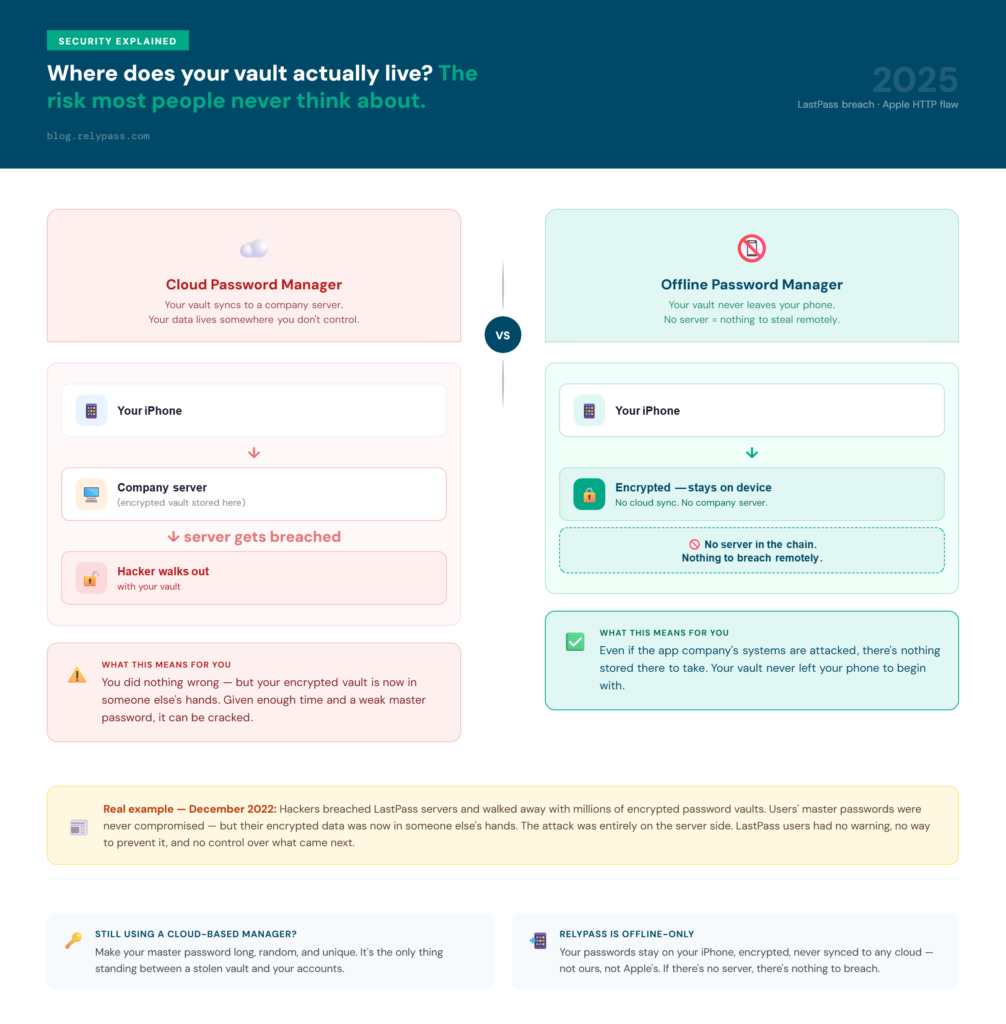
In December 2022, hackers attacked LastPass. They did not guess any master passwords. They went straight to the source. They stole entire encrypted vaults directly from the LastPass servers.
Every user’s data was taken in one move. If your master password was long and unique, your data is probably still protected. But the vaults are out there in someone else’s hands. That does not go away.
This is a structural problem with cloud-based apps. When your app syncs to a company server, your vault lives on that server too. If the company gets attacked, your vault goes with everything else.
That is a risk you cannot control. It depends entirely on how well the company protects its own systems. This category of password manager vulnerabilities is the one that matters most and gets talked about the least.
4. Insecure Connections Inside the App
This is a real documented passwords app vulnerability that came to light in 2025. Apple’s built-in Passwords app in iOS 18 was loading password reset pages and app icons over unencrypted connections instead of secure ones.
Security researchers at Mysk found this had been happening for months after iOS 18.2 came out. The app was contacting 130 different websites over insecure connections the whole time.
Anyone on the same public Wi-Fi network could intercept those requests. They could then redirect users to a fake website built to steal their login credentials. This password app vulnerability was sitting in millions of iPhones before Apple issued a fix.
Apple did patch it in a later update. But this incident is a reminder that even well-known apps carry real password manager vulnerabilities. An app being made by a trusted company does not mean it is free of security gaps.
5. A Stolen or Unlocked Device
If someone gets hold of your unlocked iPhone, they can open your password app. This is the most direct of all password manager vulnerabilities that iPhone users tend to overlook.
The solution is simple. Set a long PIN on your device. Turn on Face ID as a separate lock specifically for your password app.
Do not leave your phone sitting unlocked in public spaces. If your phone does get stolen, the actions you take right after matter a lot.
The Structural Risk That “Best Of” Lists Never Address
Every best-of list for password managers covers encryption. None of them explain what happens when the company that holds your encrypted vault gets attacked.
Here is how it works. Cloud password managers have to sync your data somewhere. That place is a company server.
Even with encryption in place, your vault is sitting on a server you do not own or control. You are trusting that company to protect it forever. You cannot check their security practices. You will not hear about a breach until after the damage is done.
Password manager vulnerabilities that come from server-side attacks fall into this category. The user does nothing wrong. The company gets breached. The vault is gone. This is the one risk no comparison chart will ever show you.
What an Offline iPhone Password Manager Does Differently
An offline iPhone password manager keeps your passwords on your device only. There is no company server involved.
There is no external copy of your vault sitting somewhere else. The situation that happened to LastPass users cannot happen with an offline app. There is nothing stored remotely to steal.
This is the one approach that removes the biggest category of password manager vulnerabilities at the source. Your data stays on your phone. A breach of any company’s server cannot reach it.
RelyPass works exactly this way. It is a free offline iOS password manager. Your passwords stay on your iPhone, encrypted, and never sent to any cloud. Not to RelyPass servers. Not to Apple’s cloud. Not to anyone. Even if RelyPass’s own systems were ever attacked, there would be nothing stored there to take.
How to Check if Your Passwords Have Already Been Exposed
You do not need to wait for a company to tell you. You can check right now on your own.
Open iPhone Settings, go to Passwords, and tap Security Recommendations. Apple will show you which saved passwords appear in known breach databases and which ones you have reused across sites. That is your starting point.
You can also go to HaveIBeenPwned.com and enter your email address. It shows every known data breach your email has appeared in.
Frequently Asked Questions
Can an iOS password manager be hacked?
Yes, in specific ways. The most overlooked password manager vulnerability comes from server-side breaches. Cloud-based apps store an encrypted copy of your vault on a company server. If that server gets breached, your vault can be stolen. That is exactly what happened with LastPass in 2022.
Offline password managers that store data only on your device do not face this exposure at all. There is no company server to attack remotely. Both types of apps are still exposed to phishing and weak passwords, but the server-side risk applies only to cloud-synced apps.
Are iOS password managers safe to use?
iOS password managers are generally helpful for reducing the risk that comes from weak and reused passwords. They become riskier when they sync to a cloud server because a breach of that server can expose your vault.
Apple’s own Passwords app had a passwords app vulnerability in 2025 where it loaded links over unencrypted connections, leaving users exposed to phishing redirects for several months. The safest option for users who want no remote breach exposure is an offline app that stores passwords on your device only.
What happened with the Apple Passwords app in 2025?
In iOS 18.2, Apple’s built-in Passwords app was loading password reset pages and app icons over unencrypted connections instead of secure ones. Security researchers at Mysk found in March 2025 that the app had been doing this for months. It was contacting 130 websites over insecure connections.
Anyone with access to the same network could intercept those requests and send users to fake phishing pages. Apple patched the issue in a later iOS update by switching all connections to secure ones by default.
What is the safest way to store passwords on iPhone?
The safest option is an offline password manager that keeps your data on your device only with no cloud sync. This removes the server-side breach risk entirely. On top of that, you should use a long master password that you do not use anywhere else.
You should also turn on Face ID or a PIN lock on your password app and avoid reusing passwords across accounts. Checking your saved passwords using iPhone’s Security Recommendations or HaveIBeenPwned.com regularly is a simple habit worth building.
What are the most common password manager vulnerabilities iPhone users face every day?
The most common password manager vulnerabilities iPhone users deal with are weak passwords and phishing attacks. These two risks come up far more often than server breaches. Weak passwords make your accounts easy to guess or crack.
Phishing tricks you into handing over your login details on a fake website. Both of these depend on everyday habits. Using a unique password for every account helps a lot. Paying attention to the website address before typing anything in is also important. These two steps alone put you ahead of most iPhone users when it comes to account safety.
Does an offline password manager protect you from every risk?
An offline password manager removes the server breach risk completely. That is the biggest structural problem with cloud-based apps. But it does not protect you from everything. Phishing can still catch you off guard. A weak master password is still a problem no matter where your data is stored.
A stolen phone with no PIN lock still gives someone access to your app. Going offline solves the risk you cannot control on your own. The rest comes down to your daily habits. Lock your app with Face ID. Use a long master password. Stay alert to fake login pages. Combining all of these gives you the best protection possible.