


Can iPhones Get Hacked? Here’s Why They’re Still a Target
Quick Answer: Can iPhones get hacked? Yes — but not the way most people imagine. Attackers usually skip iOS itself and go after the person instead. They use fake links, spyware, and stolen account details. In many cases, exposure comes from cloud-linked data and weak password habits. You can reduce risk with basic steps and better control over where your data lives.
You are scrolling your feed and see a headline about Apple security or spyware on iPhones. It grabs your attention. A simple thought comes up: can iPhones get hacked?
This question feels common now because news keeps surfacing about hacking cases, spyware, and stolen accounts. It can make it seem like iPhones are getting hacked all the time.
The real picture is different. iPhones have strong security. Apple limits apps, controls what can run, and blocks many direct attacks on the system.
But most attacks do not go after the phone itself. They go after the user. That is where things usually start. When people ask whether iPhones can get hacked, it often comes down to fake links, stolen passwords, and small mistakes rather than someone breaking into the phone directly.
So, Can iPhones Get Hacked?
Yes, iPhones can get hacked through several real methods used in 2026.
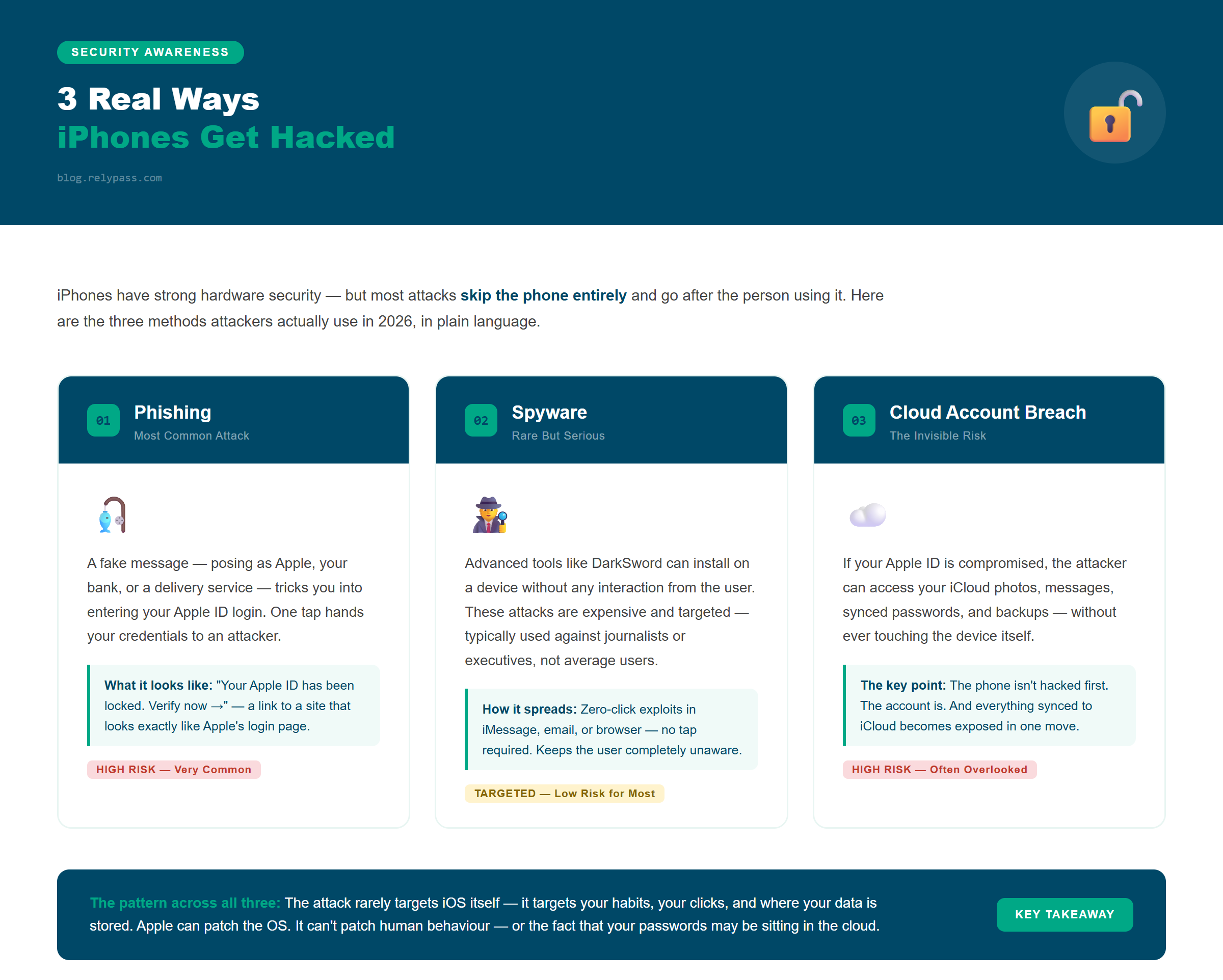
One common method is phishing. A fake message or email tricks a person into giving away Apple ID details — it can look like a delivery update, a bank notice, or an Apple security alert. These are part of the active hacking campaigns targeting iPhones that security researchers have been tracking. One tap can send login details to an attacker.
Another method is spyware. Some advanced tools can enter a device without the user noticing. Reports have linked this type of attack to tools like DarkSword. These attacks are rare but serious — they often target specific people, not the general public.
There is also account-based hacking. If someone gets access to your Apple ID, they can access synced photos, messages, and backups. In many real cases, the phone is not hacked first. The account is.
This is why “can iPhones get hacked?” is not just a technical question. It is also about behavior, clicks, and account safety.
Why Hackers Still Go After iPhones
There are clear reasons why iPhones remain a target.
First is scale. Apple has over a billion active devices. That makes it a huge pool for attackers. Even a small success rate can affect many people.
Second is trust. Many users believe iPhones are untouchable. This belief lowers caution. People click links faster and trust messages more. Attackers exploit this gap.
Third is cloud connection. Apple devices often sync data to iCloud. Photos, passwords, messages, and backups can all be stored online. If an Apple ID gets exposed, a large amount of data can be accessed at once.
TechCrunch has reported that even with iOS improvements, leaked tools and account-based attacks still create exposure risks . This is not about weak hardware. It is about how data connects across services.
So when asking can iPhones get hacked, the real answer also includes cloud systems — not just the phone itself.
What iOS Updates Actually Protect (And What They Don’t)
Apple does release security updates often. These updates fix real issues in iOS and close gaps that attackers try to use — including patches for any known iPhone security flaw that gets discovered. These updates matter. They stop many direct attacks.
Apple also improves features like Face ID, app sandboxing, and device encryption. These make system-level hacking harder.
What Apple updates actually protect you from
Most updates focus on fixing hidden bugs in iOS. These bugs can be used by attackers to run code, access data, or break into parts of the system. When Apple finds these issues, they release fixes to block them before they spread widely. This is why you should update your iPhone to close known vulnerabilities — keeping iOS current reduces a lot of risk from direct technical attacks.
What Apple updates cannot control
But there are limits. Apple cannot stop someone from clicking a fake login page. It cannot prevent weak passwords or stop reused passwords across multiple sites. It also cannot fully protect data once it is stored in cloud systems tied to an Apple ID.
This is the part many users miss. Even if the device is secure, the account around it can still be exposed. iOS updates are necessary — but your login details being exposed in a cloud breach is a separate risk that updates alone cannot address.
One Thing You Can Actually Control
At this point, the question shifts from fear to control.
You cannot control every attack attempt. You cannot control every scam message. But you can control where your sensitive data lives.
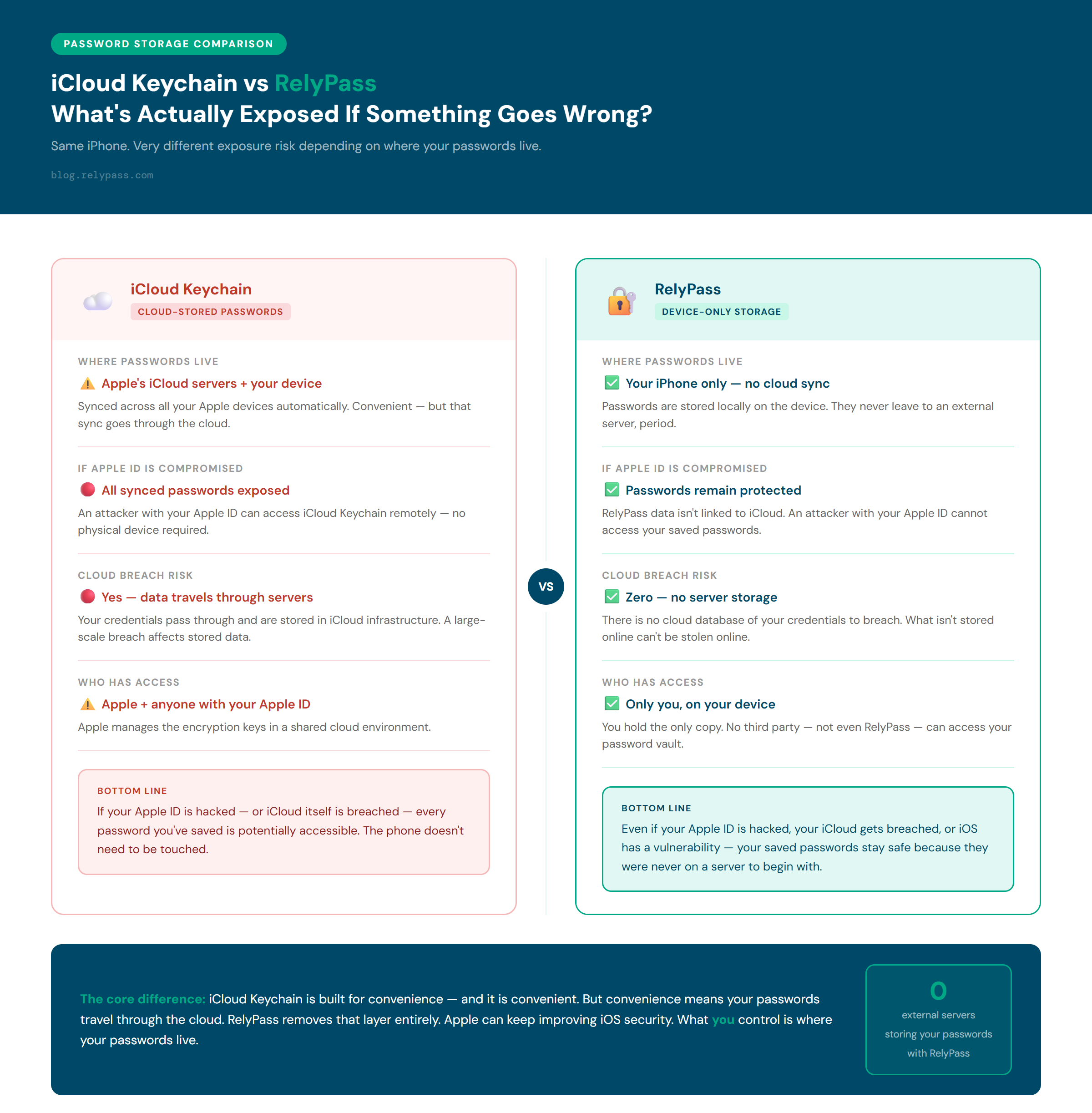
Most risk today comes from cloud-linked accounts. When passwords are saved in cloud sync tools like iCloud Keychain, they move across devices and servers. If a cloud account is breached, stored credentials can be exposed.
This is where a different approach matters. An offline password manager stores data only on your device — it does not sync through cloud servers. This reduces the chance of mass exposure during a cloud breach.
RelyPass follows this idea. It keeps passwords stored locally on the device. No cloud sync. No external server storage. No background sharing across accounts. This is not about replacing Apple security — it is about reducing one of the biggest exposure points that remains even when iOS is updated.
So when people ask can iPhones get hacked, the real prevention starts with limiting what can be exposed if something else goes wrong.
Frequently Asked Questions
Can iPhones get hacked remotely?
Yes. iPhones can be compromised remotely through spyware, phishing links, and vulnerabilities in apps or the iOS system itself. You do not need to hand someone your phone for it to be at risk. The most common remote attacks target your Apple ID credentials or trick you into installing something malicious through a fake link or message.
How do I know if my iPhone has been hacked?
Signs your iPhone may be compromised include: battery draining faster than usual, the phone running hot when idle, unfamiliar apps appearing, unusual account login alerts, and data usage spiking for no clear reason. If you notice these, update iOS immediately, change your Apple ID password, and check which apps have access to your location and microphone.
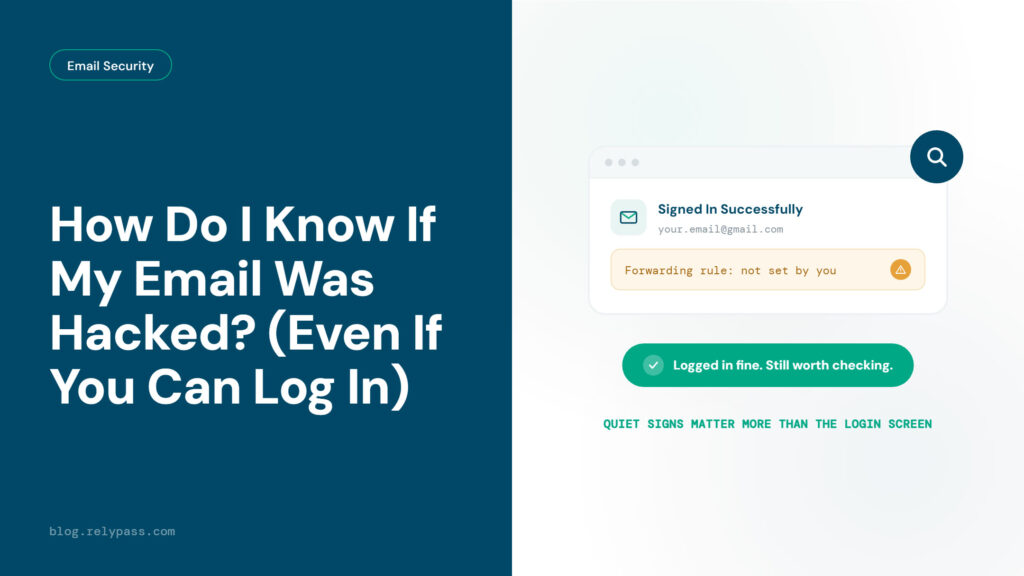
If those login alerts are coming from your email account specifically, the checks are a little different — see how do I know if my email was hacked for the quiet, easy-to-miss signs that a hacked email doesn’t always come with an alert at all.
Does updating iOS protect you from hackers?
Updating iOS closes known security vulnerabilities — so yes, it helps. Apple releases patches specifically to fix flaws that hackers exploit. But updates cannot protect you from phishing, weak passwords, or your login details being exposed in a cloud breach. iOS updates are necessary but not enough on their own.
Can someone hack my iPhone through public Wi-Fi?
Yes, it can happen on public Wi-Fi. Some networks are not safe and can be used to steal data or push fake login pages. A hacker may try to catch your passwords when you log in to accounts. It is better to avoid banking or Apple ID logins on public Wi-Fi. Mobile data is safer for important tasks.
Can iPhones get viruses from apps?
It is not common, but it can still happen in some cases. iPhones have strong app rules, but fake apps or risky downloads can still slip through scams or bad links. Jailbreaking makes things much riskier. Most of the time, the issue is not a classic virus but apps that quietly collect personal data.
What should I do first if I think my iPhone is hacked?
Turn on airplane mode first to cut off internet access. Then update your iPhone, change your Apple ID password, and check for any unknown devices linked to your account. Look through your apps and remove anything that seems odd. If things still feel wrong, a full reset can help clean the device.
In the end, can iPhones get hacked? Yes, it can happen — but it usually comes from tricks, fake links, stolen logins, and cloud-linked data rather than direct attacks on the phone itself. iPhones stay secure when kept updated, but safety also depends on how you use them. Careful clicks, strong passwords, and mindful data storage all matter. The real protection comes from both Apple’s security and your daily habits working together.
If you want one less thing to worry about, RelyPass keeps your passwords off the cloud entirely — free to download on iPhone.