


Offline Password Manager Security: All You Need to Know
You have probably heard about passwords getting leaked in data breaches. Maybe you even got one of those emails telling you to change your password after a company was hacked.
Stories like these appear in the news so often that most people barely notice them anymore. But if you use the same passwords for important accounts, they can quickly become a personal problem.
So now you are wondering: would an offline password manager actually protect you, or is it just a different kind of risk?
Offline password manager security is not a marketing phrase. It describes a specific protection model with real, measurable benefits.
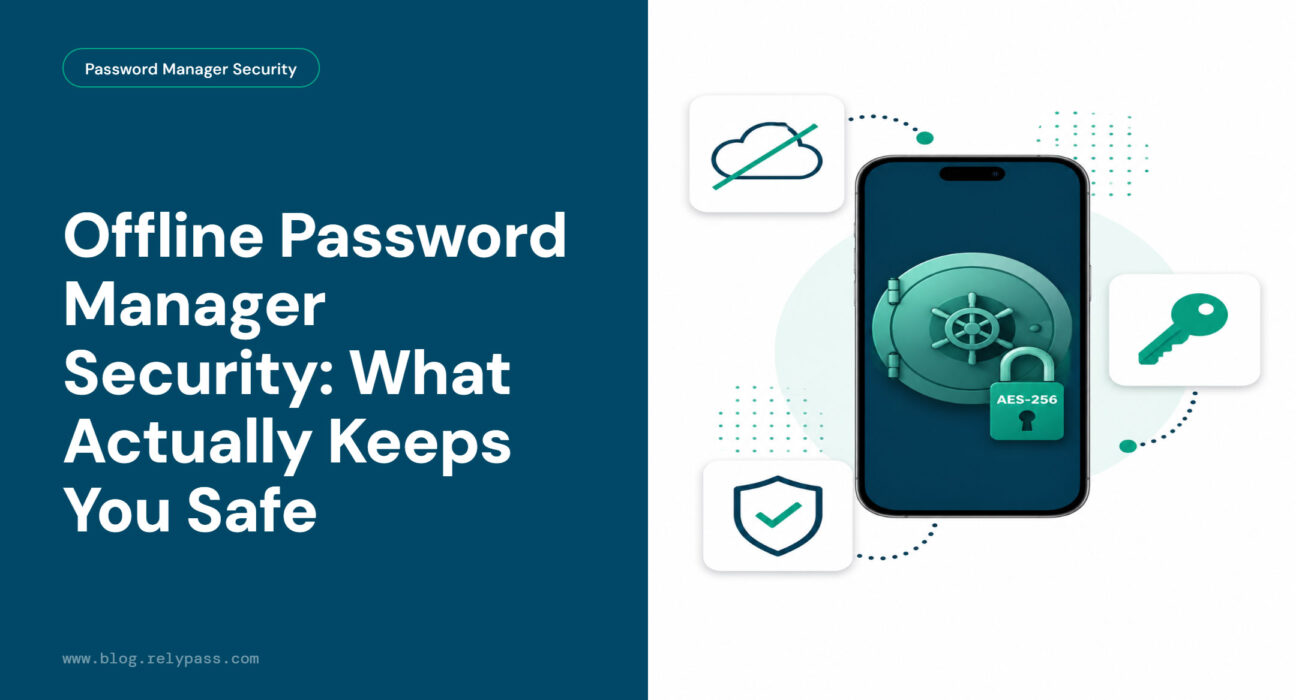
A password manager offline stores your data on your device, with no server in the middle. People asking about offline password manager security are really asking one question: will my passwords actually be safe?
In this blog, I will give you the honest answer, without the technical jargon. Ensure that you read the entire blog.
TLDR Offline password manager security works by storing your passwords only on your device. No cloud account. No company server. If someone hacks a password manager’s database, your passwords are not in it. The one risk that remains is your physical device. If someone gets your phone and your PIN, they can access your vault. Use a six-digit passcode and keep an encrypted backup, and you have covered both sides.
What Offline Password Manager Security Actually Means
Offline password manager security starts with one simple idea. Your passwords never leave your device.
A regular cloud password manager stores your vault on the company’s servers. That vault travels to their database, lives there, and gets fetched back to your phone when you need it.
An offline password manager skips that step entirely. Your passwords sit in an encrypted file on your phone or computer. Nothing is sent to a server. Nothing is stored in a cloud account.
The encryption piece is important. That local file is scrambled using a method that makes it completely unreadable without your master password. Think of it like a safe in your house versus a safety deposit box at a bank.
Both protect your valuables. But they carry different kinds of risk. The bank’s vault could be robbed. Your home safe stays wherever you leave it.
That is what offline password manager security means in practice. The risk does not disappear. It moves to somewhere you have direct control over.
What You Are Actually Protected From
Most articles say “offline is more secure” and move on. But offline password manager security means nothing unless you understand what you are actually secure from.
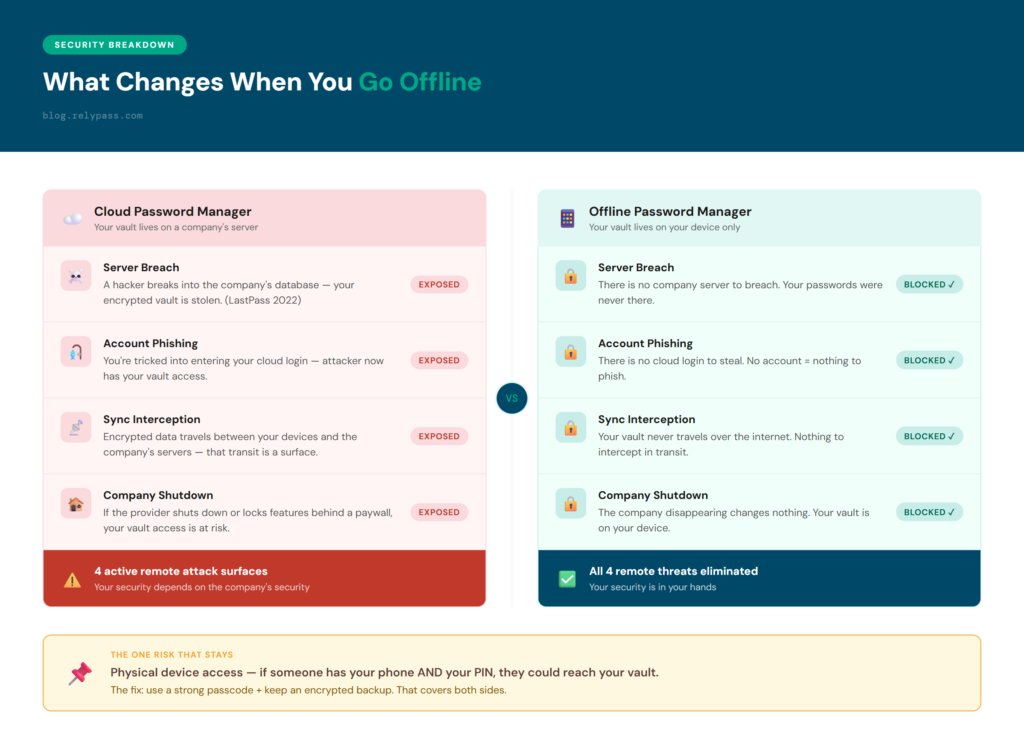
Here are the 4 specific threats that go away when you use an offline password vault. Each one is a reason offline password manager security is worth choosing.
Cloud Server Breaches
In 2022, LastPass was breached. Attackers accessed backup databases and walked away with copies of customers’ encrypted vault data. The stolen records included usernames, passwords, email addresses, and phone numbers. The breach eventually led to a $24.5 million class action settlement.
Users with offline vaults had nothing stored on LastPass’s servers. There was nothing to steal.
This is the clearest real-world example of the risk that comes with cloud storage. When your data lives on someone else’s server, their security problems become your problems. With an offline password vault, there is no “their server”. Your data is on your device and stays there.
You can check if your email appeared in any known data breach at haveibeenpwned.com.
Account Takeover Phishing
Cloud password managers require you to sign in with an email address and a master password. That login is something a hacker can go after. A convincing fake login page is all it takes.
You type your credentials into the wrong site, and the attacker gets your cloud login and your entire vault with it.
An offline password manager has no cloud login to phish. There is no login page for a hacker to copy. There is no account to take over.
Company Shutdowns or Forced Changes
Cloud password managers are businesses. Businesses can shut down, get acquired, raise prices, or lock features behind new subscription tiers. If that happens, accessing your vault becomes complicated fast.
With an offline password manager, the company disappearing changes nothing. Your vault lives on your device. You own it completely.
Data Sync Interception
Cloud password managers transmit your encrypted vault between your devices. Every transmission is a potential target. An offline password manager has no sync process at all. Nothing travels over the internet. There is nothing to intercept.
The One Risk That Stays and the Two-Minute Fix
Offline password manager security does not remove every risk. It replaces a large, difficult-to-control risk with a small, manageable one.
The risk that remains is physical device access. If someone has your phone, knows your PIN, and has enough time, they could get into your vault. This is a much narrower problem than a server breach affecting millions of users. But it is real, and you deserve to know about it.
The fix covers both sides and takes about two minutes.
Use a Six Digit Passcode
A six digit PIN is your first line of protection. Do not use your birthday. Do not use 0000 or 1234. An alphanumeric passcode is even harder to guess. Apple has its own guidance on iPhone passcode security, and you can read it here. The harder your passcode is to guess, the smaller this risk becomes.
Set Up an Encrypted Backup
This is the step most people skip, and it matters a lot. If you lose your phone and have no backup, your passwords are gone. Not stolen. Just inaccessible forever. Most offline password managers let you export an encrypted backup to your Mac, an external drive, or iCloud. Set this up before you need it. Update it every few months.
How the Encryption Works Without the Jargon
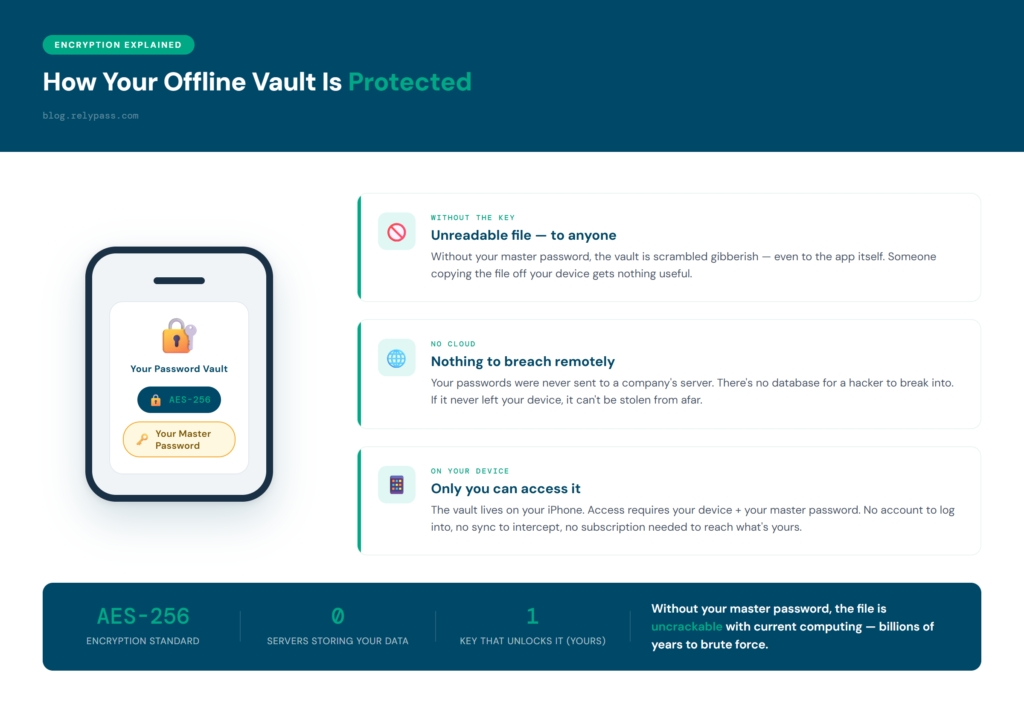
Every good offline password vault uses AES-256 encryption. Here is what that means for a regular person.
Your passwords get scrambled using a method so complex that without the correct key (your master password), the file is complete gibberish. Even the app itself cannot read the file without the right input.
Consider it like a combination lock on a safe. The combination is your master password. The lock is the encryption. If someone finds the safe without the combination, they have a very heavy, useless object.
AES-256 is not a marketing claim. It is the same encryption standard used to protect classified government information in the United States. Cryptographers have studied it for decades. No practical attack against it exists at current computing speeds. This encryption layer is what makes offline password manager security meaningful in practice.
Two things are worth keeping in mind. Your master password is the key. If you forget it and have no backup, the vault stays locked permanently. And if someone copies your encrypted file without your master password, that file is completely unreadable to them.
Some people also ask about the best way to store passwords offline. Use an app that encrypts your vault on the device, requires a master password to open it, and gives you the option to export a backup. That is the best way to store passwords offline for anyone using an iPhone.
Is an Offline Password Manager Actually Hack-Proof?
No tool is 100% hack proof. Here is what that actually means for an offline password manager.
Remotely: yes. There is no server to attack. There is no account to compromise. There is no sync to intercept. A hacker sitting anywhere in the world cannot reach your offline vault because it is not connected to anything they can touch.
Physically, the barrier is extremely high. AES-256 encryption means your vault file would take billions of years to crack by brute force using current computers.
The realistic threat is not a sophisticated hacker. It is someone who already has your phone and already knows your PIN. That is a much narrower problem. A six-digit or alphanumeric passcode addresses it completely.
So calling an offline password manager “hack-proof” overstates it. But the protection offline password manager security provides is real. Remote attacks are practically impossible.
Physical attacks require someone who already has your device and your PIN. Understanding how do password managers handle offline access helps clarify why offline password manager security is so effective against remote threats.
What to Look for in an Offline Password Manager for iPhone
Good offline password manager security on iPhone depends on picking the right app. There are three things to check. None of them are optional.
Local-Only Storage
Make sure the app stores your vault only on your device. Some apps use “offline mode” as a selling point while still sending data to a server in the background. Check the privacy policy. It should say clearly that no data leaves your device.
AES-256 Encryption
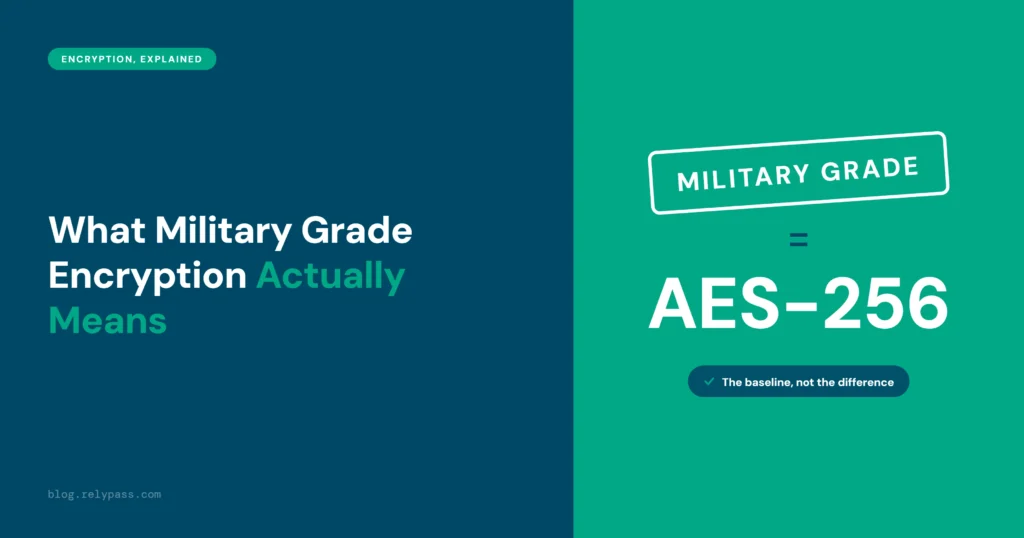
The app should state this in its documentation. If it does not say what encryption method it uses, that is a red flag. AES-256 is the standard. Do not settle for less. Here is what ‘military-grade’ actually means when an app advertises it.
No Account Sign Up Required
If an app asks you to create an online account before you can use it, it is not truly offline. A genuine offline password manager lets you get started without registering anywhere. Your vault is yours from the very first use.
RelyPass checks all three boxes. Local-only storage by default, AES-256 encryption, and no account needed to get started. Cloud sync is an optional paid add-on, and it only carries your encrypted data. For readers who want to compare more options, see the best password manager apps for iPhone here.
RelyPass: Offline Password Manager Security on Your iPhone
RelyPass stores your passwords in an encrypted vault on your iPhone. No account to create. No cloud sync runs in the background unless you choose the optional paid plan. No subscription required to access your own data. Using a password manager offline means your data stays exactly where you put it.
RelyPass was built for iPhone users who want the protection of offline password manager security without the complexity of tools designed for IT teams. Setup takes a few minutes. You do not need any technical knowledge to use it.
End Note
In the end, offline password manager security reduces the risks that come with storing sensitive data on external servers by keeping your password vault on your own device.
A good passcode, dependable encryption, and a secure backup can help protect your information from everyday security threats.
So, choose a trusted offline password manager and follow a few simple security habits. This helps you keep your personal data safe and under your control. Your passwords stay on your device instead of being stored on someone else’s server.
If you are looking for an offline option built for iPhone, RelyPass is free to download.
Curious how RelyPass compares to the other top offline and cloud-based password managers? See our full password manager comparison.
Frequently Asked Questions
Are offline password managers safer than cloud-based ones?
For remote attacks, yes, significantly. An offline password manager stores your vault on your device only. A hacker who breaks into a company’s server cannot reach your passwords because they are not there.
The trade off is that your security is tied to your physical device. Use a six digit passcode, keep an encrypted backup, and do not share your PIN with others. An offline password manager removes the biggest category of password risk, which is cloud server breaches.
What happens to my passwords if I lose my phone?
Your passwords stay encrypted on the lost device. Without your master password, they are completely unreadable to whoever finds it. To get your vault back, you need a backup. Most offline password managers let you export an encrypted backup to your computer, an external drive, or iCloud.
The best time to set that up is before you ever lose your phone. If you have no backup and you lose your phone, that vault is permanently inaccessible. It is not stolen. It is just gone. Set up your backup now.
How do password managers handle offline access?
A password manager that works offline stores your entire encrypted vault on your device rather than fetching it from a server. You open the app, enter your master password, and it decrypts the local file. No internet connection needed. No server to contact.
You can access your passwords on a plane, in a building with no signal, or when your internet is down. Truly offline password managers work this way all the time, by design.
Some cloud password managers offer an offline mode that caches a copy temporarily. That is a different setup, and the cached copy is usually limited and may become outdated.
Can offline password managers be hacked?
Remotely, no. There is no server to attack and no account to compromise. Physically, it is theoretically possible, but the barrier is extremely high. Offline password managers use AES-256 encryption.
Your vault file is scrambled so thoroughly that cracking it by brute force would take billions of years with current computers. The realistic risk is someone who physically has your phone and already knows your PIN. That is a narrow, manageable problem. Use a six-digit or alphanumeric passcode and do not use your birthday.
What is the biggest security risk of an offline password manager?
Losing access to your own vault, not a hacker attack. If your phone is lost or broken and you have no backup, your passwords are locked in an encrypted file with no way in. This is the one risk offline password managers carry that cloud based ones do not.
You are responsible for your own backup. The fix is simple. Export an encrypted backup to your computer or an external drive and update it every few months. Do that, and you have covered the only meaningful risk that offline password management carries.