



How to Protect Yourself From Identity Theft: 6 Free Steps That Actually Block It

TLDR: Here is how to protect yourself from identity theft in six free steps. Freeze your credit at all three bureaus, get a PIN from the IRS, lock your phone number and email, and use a different password everywhere. A freeze stops a new account before it opens. Paid monitoring only tells you about it after the fact. All six are free, and you can do every one of them yourself.
In 2024, the FTC received over 1.1 million reports of identity theft. That figure comes straight from the agency’s own Consumer Sentinel Network Data Book, and it does not count everyone who never filed a report at all. The leaks behind it keep growing, too. The Identity Theft Resource Center counted a record 3,322 data compromises in 2025.
If you want to protect yourself from identity theft, or you are simply looking for practical ways to avoid identity theft draining your accounts, you do not need a subscription or a scare tactic. You need six things you can do yourself, most of them free, most of them finished in one sitting. Below, you will find what each step blocks and where a paid service still earns its keep. No filler. Just the six steps, in order.
What each step blocks
| Step | What it blocks | Cost | Where to do it |
|---|---|---|---|
| Freeze your credit | New accounts opened in your name | Free | Equifax, Experian, TransUnion |
| Get an IRS IP PIN | A fraudulent tax return filed in your name | Free | IRS.gov |
| Claim your Social Security account | Someone else creating your SSA account first | Free | ssa.gov |
| Lock your email and phone number | Password resets and SIM swaps | Free | Email settings and your carrier’s app |
| Use a different password everywhere | One leak exposing every account | Free (RelyPass) | A password manager |
| Turn on bank alerts | Slow discovery of fraud | Free | Your bank’s app |
Six steps. All free. Each one blocks a different kind of theft.
6 Steps to Protect Yourself From Identity Theft
These six steps can help protect your personal information and reduce the risk of identity theft. Taking action early can also help prevent bigger problems later.
Step 1: Freeze your credit at all three bureaus
A credit freeze is free, does not lower your credit score, and can help stop someone from opening a new credit account in your name.
When your credit is frozen, lenders cannot easily access your credit report. Since most lenders check your report before approving a loan or credit card, a freeze can make it much harder for a thief to open a new account using your information.
Start with all three bureaus
A freeze needs to be placed with Equifax, Experian, and TransUnion. Freezing your file with only one bureau leaves the other two open.
All three bureaus let you freeze your credit online for free. You can also remove the freeze whenever you need to apply for new credit.
Remove the freeze before applying
A credit freeze does not prevent you from getting a loan or credit card. Before applying, simply lift the freeze. You can usually remove it for a set period or allow access for a specific lender.
Once the set period ends, the freeze can go back into effect.
A freeze does not protect existing accounts
Credit freezes mainly help prevent new accounts from being opened in your name. They do not stop someone from using a credit card or bank account you already have.
For existing accounts, turn on bank and card alerts. These can notify you when a payment is made and help you spot suspicious activity quickly.
Step 2: Get an IRS Identity Protection PIN
Get a PIN from the IRS before someone files a tax return in your name.
An Identity Protection PIN is a code with six digits. The IRS pairs it with your Social Security number on your tax return. Without the correct PIN, the IRS rejects the return. That stops a thief from filing early and taking your refund before you do.
Anyone with a Social Security number or an ITIN can request one. You do not need to be a past victim. Go to the IRS website, verify your identity, and your PIN appears on your account page right away.
The PIN changes every year. That is good for security, but it means one more code to store somewhere safe, not on a sticky note or in an email to yourself. We cover where to keep it in step five.
The online tool closes for maintenance from mid-November through mid-January, so apply outside that window if you can.
Step 3: Claim your Social Security account before someone else does
Create your own Social Security account before someone else has the chance to do it for you.
The Social Security Administration recommends setting up your account early. Once you have an account, someone else cannot create another one using your name and Social Security number.
Go to ssa.gov and choose the option to sign in or create an account. You will need to confirm some personal information to verify your identity. After setting up the account, a one time code may be required when you sign in, adding another layer of security.
The account is also useful for keeping track of your Social Security information. If you receive Social Security, Medicare, or disability benefits, you can check your records and spot anything that looks wrong.
Step 4: Lock down your email and phone number (how to prevent identity theft online)
Your email and phone number are connected to almost every account you have. If someone gets access to either one, they may be able to reset your passwords and get into other accounts. That makes protecting them an important step in preventing identity theft online.
Use a strong email password
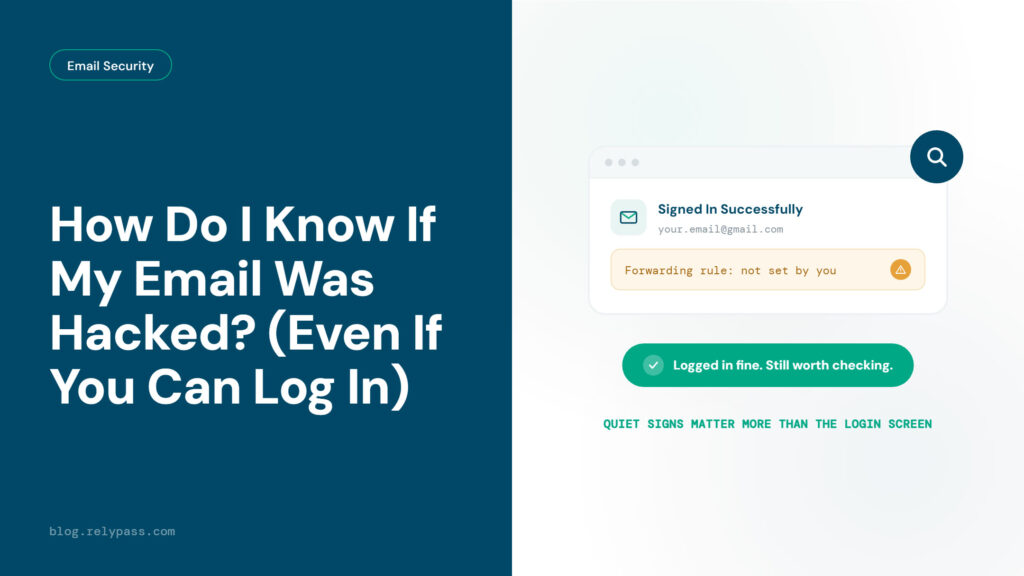
Start with your email account. Create a password that you do not use anywhere else. Reusing an old password can put several accounts at risk if that password is exposed in a data breach. Already worried? Our guide on how do I know if my email was hacked covers the warning signs.
Turn on two factor authentication
Add another login step to your email account. This is usually called two factor authentication or multi factor authentication. After entering your password, you will need to enter a code or approve the login on another device. It also helps to spot a phishing attempt before you type your password anywhere.
Protect your phone number
Your phone number can also be used to reset account passwords. One common scam is SIM swapping. A thief tricks your mobile carrier into moving your number to a different SIM card or phone.
Major carriers offer extra protection against this. Verizon calls its feature Number Lock, T-Mobile uses Port Validation, and AT&T offers Wireless Account Lock. Check your carrier’s account settings or contact customer support to turn on the available protection.
Step 5: Use unique passwords, and keep your new PINs somewhere safe
By step four, you have created several new accounts and at least one PIN that you cannot afford to lose. A weak or reused password can put all of them at risk.
Think about what you need to remember: three credit bureau accounts, an IRS account with a yearly PIN, a Social Security account, and your new email password. That is a lot to keep track of. Using the same password for all of them means one data leak could put every account at risk.
There are a few easy ways to store your passwords. A locked drawer works if you prefer writing them down. Apple Passwords or your browser’s built in password manager is another option. A password manager can create a different password for each account and keep your PINs in one place.
Do not email your passwords or PINs to yourself. A password manager on your phone is a safer option, and it lets you store passwords safely without the cloud. RelyPass can keep them in one place and has a free plan.
If you are setting this up for your family, RelyPass also has a plan for up to five people. Each person gets a private vault, so everyone can keep their own passwords and PINs separate.
Step 6: Set free alerts instead of checking by hand
Turn on transaction alerts so your bank can tell you when a payment is made. This helps you spot an unknown charge right away instead of finding it later on your monthly statement.
Most banks and credit card companies let you get text or push alerts for new transactions. You can usually choose the amount that triggers an alert, such as $10. Go to the notifications or alerts section in your banking app and turn them on. It only takes a few minutes.
Checking your credit reports regularly can help catch fraud early. AnnualCreditReport.com lets you get free reports from all three major credit bureaus. Each report can be checked weekly at no cost, giving you another way to spot anything unusual.
This gives you another way to find suspicious activity, especially if a credit freeze is removed or something gets through your other alerts.
These steps are free and can help you catch identity theft early. You do not need to pay for a subscription to keep an eye on your accounts.
The Bureau of Justice Statistics found that 67% of identity theft victims contacted a bank or credit card company about the problem. Checking your accounts regularly can help you notice something is wrong and report it quickly.
Protect your kids and parents too
If you are the person in your family who usually handles this kind of thing, you can help protect relatives who may not be able to manage it themselves.
Children under 16 usually do not have much credit activity, which means identity theft can sit unnoticed on their credit file for years. Federal law allows a parent or legal guardian to freeze a child’s credit for free with each of the three major credit bureaus.
The process is slightly different for Equifax, Experian, and TransUnion, so check each bureau’s child freeze instructions before getting started. For kids who are already online, here is how to protect your kids from password scams.
For an aging parent, set aside some time to complete steps one, two, and four together. Your parent will need their Social Security number, access to their phone for verification codes, and a little patience while answering identity questions.
Some of these questions may be based on older credit records, such as a previous address or loan, so they may need a moment to remember the details.
RelyPass does not manage your parent’s password vault for you. However, its plan can cover up to five people, with a separate private vault for each person. That means you and your parent can keep your passwords separate instead of sharing one account.
If you prefer having one service monitor everyone in your household, family plans from LifeLock or Aura can cover multiple people under one subscription. Keep in mind that these services do not complete the six free steps for you.
Do you need to pay for identity theft protection?
The free steps above can stop many types of identity fraud before they become a problem. Paid identity protection services work differently. They mainly monitor your information, spot suspicious activity, and alert you when something goes wrong.
As of September 27, 2026, LifeLock’s cheapest individual plan costs about $12.49 a month, or $10.42 a month when billed annually. Aura’s entry-level plan costs around $15 a month, or $12 a month with annual billing.
Both services monitor your credit file, look for your personal information in data leaks, and send alerts when they find something suspicious. Higher-priced plans can also include identity theft insurance and access to a recovery specialist who can help you deal with the aftermath of identity theft.
There is one important difference to keep in mind. A credit freeze can prevent someone from opening new credit in your name, while monitoring simply tells you when something may have happened.
A paid service cannot place a credit freeze for you. You still have to contact each credit bureau and authorize the freeze yourself.
So, are these services worth paying for? They can be useful if you have been a victim before, want help from a recovery specialist, or simply know you will not keep up with monitoring yourself. Families may also like having several people covered under one account.
But if you are willing to set these up yourself, the free options may be enough.
What to do if your identity is already stolen
If you already spotted fraud, move fast. Start at IdentityTheft.gov, the FTC’s own site for reporting identity theft and getting a personal recovery plan.
Place a fraud alert with one bureau. That bureau must notify the other two for you. A standard fraud alert lasts one year. An extended alert, for confirmed victims, lasts seven years.
If this started with a breach notice sitting in your inbox, read our post on what to do after a data breach notification for what to do about that specific email.
Frequently asked questions
What is the best way to protect yourself from identity theft?
A credit freeze at all three bureaus is the single most effective free step, because it blocks a new account before a thief can open one. After that, get an IRS PIN so no one can file a tax return in your name, and lock your email and phone number so no one can reset your other accounts.
What are 3 ways to protect yourself from identity theft?
Freeze your credit at all three bureaus, which blocks new accounts. Lock your phone number and turn on a second login step for your email, which blocks password resets. Use a different password for every account, so one leak cannot open every door at once. Some lists stretch this into ten ways to protect yourself from identity theft, but most of the extra items just repeat these same three ideas in different words.
What are some simple ways to avoid identity theft?
Ways to avoid identity theft do not need to cost money. Freeze your credit, lock your phone number, use a different password for every account, and turn on bank alerts. Together, these four habits block most new account fraud and catch anything that slips through fast.
Is identity theft protection worth it?
The free steps above prevent most new account fraud. A paid plan mainly watches your accounts and alerts you after something goes wrong, and some plans add insurance and a recovery specialist. It is worth it if you have already been a victim or if you know you will not do the free steps yourself.
Does freezing your credit hurt your credit score?
No. A credit freeze is free to place and free to lift, and it does not affect your credit score, according to the FTC. You lift it for a short time whenever you apply for new credit, and it locks itself again once that is done.
These six tips to prevent identity theft cost nothing, and you can do every one of them yourself. Freeze your credit, get your IRS PIN, claim your Social Security account, lock your email and phone, use a different password everywhere, and turn on bank alerts.
Do the first four this week. Store what they give you in a password manager built for exactly that. RelyPass is free, and it is ready when you are.