




Problems With Two Factor Authentication: You Must Know

Having problems with two factor authentication? Well, this issue happens more than your expectation. You use it to keep your accounts secure. However, an issue here becomes a headache when codes do not arrive, phones stop working, or your login simply will not verify.
So, what are these problems? Well, in this blog, I will share the most common issues users face with two factor authentication. You will also learn why these problems occur, and the simple steps you can follow to stay secure without making access to your accounts difficult.
Let’s begin the discussion.
What Is Two-Factor Authentication
Two-factor authentication, also called 2FA, adds one more step after your password. Instead of relying only on something you know, it also uses something you have, like your phone or a security key.

This extra layer makes your account harder to break into, but it also introduces some of the most common problems with two-factor authentication when the second step becomes unavailable.
The purpose is safety, but safety works only when both steps function smoothly.
Examples Of Two-Factor Authentication
Let’s explore the examples of two factor authentication.
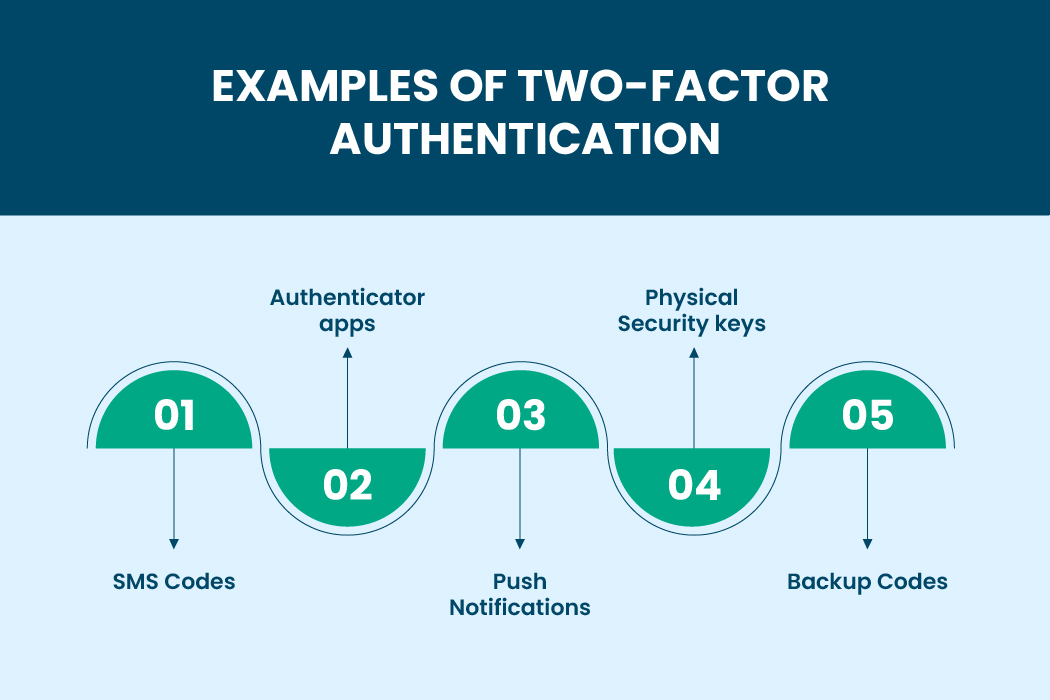
SMS codes
The system sends a one-time code to your phone. You type it in to finish logging in. It works, but it is also a major cause of problems with two-factor authentication because texts may not always arrive.
Authenticator apps
Apps like Authy or Google Authenticator generate rotating codes every few seconds. These codes are more secure, but if your phone time is out of sync, you can run into more problems with two factor authentication.
Push notifications
You tap yes or no to confirm a login. It is simple, but notifications can fail if your phone is offline or muted, adding more problems with two factor authentication.
Physical security keys
These devices give strong protection, but losing them can create serious problems with two-factor authentication for people who do not have a backup key stored somewhere safe.
Backup codes
These are one-time codes meant for emergencies. Not saving them is one of the easiest ways to run into problems with two factor authentication during phone loss or damage.
Common Problems With Two-Factor Authentication
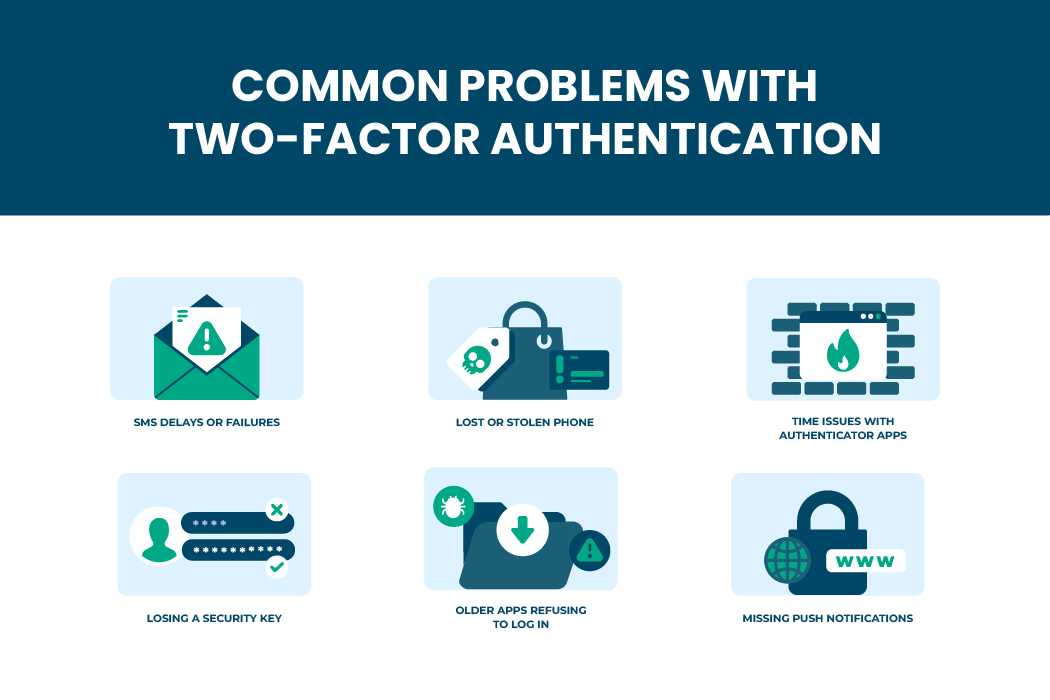
Even though 2FA improves security, it also introduces new challenges that users deal with every day. So, the common problems are:
Lost or stolen phone
Your phone is the main device for receiving codes. If it goes missing, most of your second steps disappear along with it. This is one of the most frequent problems with two factor authentication because everything depends on that single device.
SMS delays or failures
Sometimes text messages never arrive due to poor network, carrier delays, or security checks. This leads to immediate problems with two factor authentication since you cannot complete the login.
Time issues with authenticator apps
Authenticator apps rely on accurate time. If your phone time is even slightly off, your codes will be rejected. This causes unexpected problems with two-factor authentication that many users do not realize are related.
Missing push notifications
You expect a prompt, but nothing appears. Maybe your phone is offline or notifications are blocked. This adds to the list of problems with two factor authentication when logging in.
Losing a security key
Hardware keys offer strong protection, but losing one can make login impossible unless you set up a backup key. This leads to major problems with two factor authentication, especially for users under stricter security programs.
Older apps refusing to log in
Some apps do not support 2FA and reject your login even with the right password. You need an app-specific password to fix this; you face ongoing problems with two factor authentication.
MFA Vulnerabilities That You Must Know
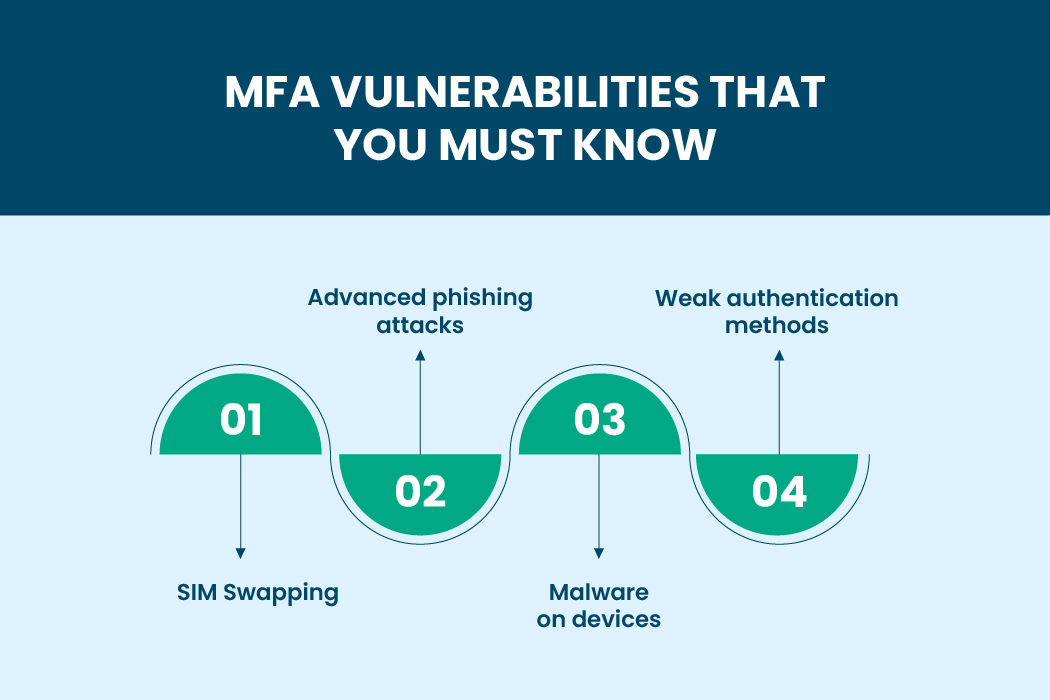
Multi-factor authentication offers better protection than a password alone, but it still has weaknesses. These vulnerabilities can lead to new problems with two factor authentication that many people never expect.
SIM swapping
Attackers trick your carrier into transferring your number to their SIM card. Once they control your number, they can intercept your codes, creating serious problems with two factor authentication.
Advanced phishing attacks
Some phishing websites now mimic the entire 2FA process and capture both your password and your verification code. This is one of the fastest-growing problems with two factor authentication.
Malware on devices
If your phone or computer is infected, attackers may intercept codes or approve prompts without your knowledge. This creates hidden problems with two factor authentication that you may not notice until it is too late.
Weak authentication methods
SMS is convenient, but easier to attack. Depending only on text messages is one of the biggest problems with two factor authentication that people underestimate.
Authentication Vulnerabilities
Authentication systems are not perfect. Even with 2FA, there are still gaps that cause repeated login issues.
Ignoring backup options
Many users turn on 2FA but never store backup codes. When their phone becomes unavailable, they face instant problems with two factor authentication and have no way back in.
Misuse of trusted devices
If someone gains access to a trusted device, they may bypass the second step entirely. This creates silent problems with two factor authentication that people rarely think about.
Keeping old phone numbers
If you change your phone number but forget to update your 2FA settings, you will not receive codes. This simple mistake leads to frustrating problems with two factor authentication.
Relying on one device only
Putting all your 2FA steps on one device means losing it becomes a single point of failure. This is one of the most preventable problems with two factor authentication.
Why Two Factor Authentication Still Matters
Even with its drawbacks, two-factor authentication remains one of the strongest ways to protect accounts. A password alone can be stolen through phishing, data leaks, or weak habits. Adding a second step makes it much harder for attackers, even if they know your password.
The purpose of two-factor authentication is still important. Setting it up carefully helps avoid being locked out. Using backup codes, more than one second step, or an authenticator app instead of SMS can make it much more effective. Security focuses on making it harder for someone to break in.
Learn Also: The Most Secure and Free iOS Offline Password Manager
How To Set Up 2FA Without Causing Future Problems
A lot of problems with two factor authentication come from how it is set up in the first place. Most people rush through the process and skip important steps that could save them during emergencies. To avoid future issues, it helps to follow a few simple habits.
- Save your backup codes in a place only you can access.
- Add more than one second step if the platform allows it.
- Avoid linking 2FA to a number you rarely use.
- If you upgrade your phone, move your authenticator app properly before wiping the old device.
- Keep at least one trusted device active and secure.
These steps take only a few minutes but can prevent days or weeks of account recovery. When set up properly, 2FA becomes smoother and better.
Read Also: Autofill Not Working: Best Solutions to Solve This Issue

Final Thoughts
In the end, most problems with two factor authentication happen when people use only one device or forget to set up backups. If you keep backup codes, add another second step, avoid Google Voice, and use authenticator apps instead of SMS, you can avoid most issues.
The point isn’t to avoid 2FA but to use it smartly. Doing a few things ahead of time can stop problems later and keep your accounts safe without any hassle.