


Locked out of Instagram: Ways to Recover
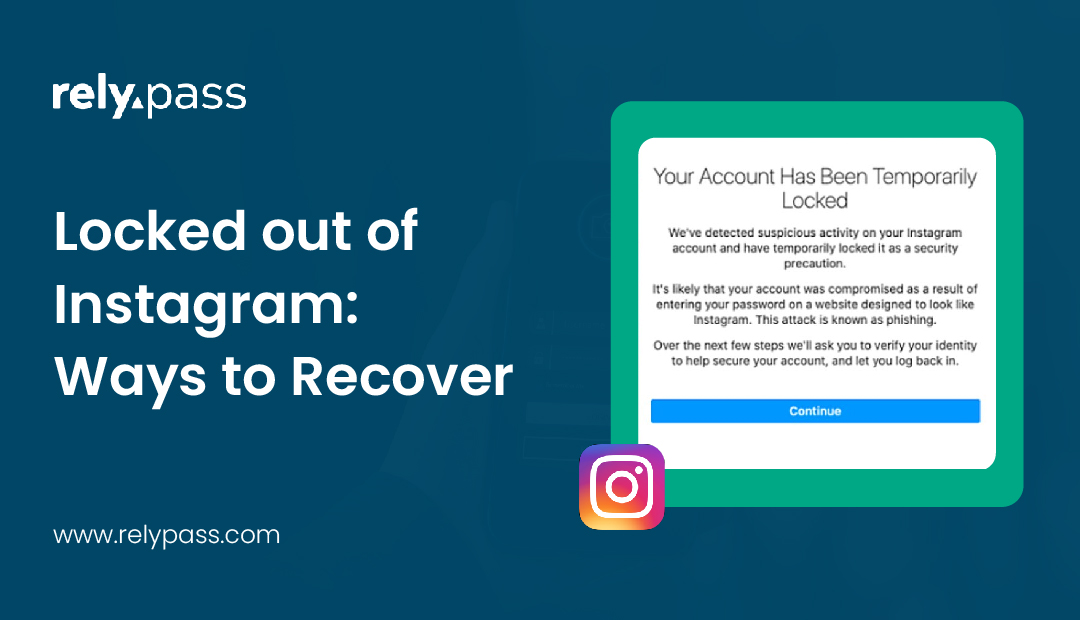
Are you tired of being locked out of instagram? Maybe you needed to reply to someone, or you tried to open the app and suddenly saw a message you did not expect. It leaves you confused and worried because your account holds your photos, chats, and memories.
Many people face this same problem, and it often appears without warning. Locked out of Instagram situations create stress fast, especially when the code does not arrive or the login screen keeps looping. So want to get rid of this problem?
Well in this blog, I will share why this happens, and how to recover your account.
So, let’s begin the discussion.
Why Instagram Locks You Out
One of the first thoughts that comes to mind is why this even happened. It feels confusing because you did nothing wrong. The truth is that Instagram tries to protect your account by watching for anything that looks unusual. Even something small can cause the system to pause your access for your own safety.

Sometimes Instagram thinks someone else is trying to enter your account. Sometimes your contact details are outdated. Sometimes a code refuses to arrive even though you wait and wait. It can feel discouraging, but it is rarely a sign of permanent trouble. Most of the time it is only a temporary block.
Many people experience moments like these. Some get locked out because Instagram flags suspicious activity. Others face problems with two factor codes that never reach them. Some lose access because the email they used long ago is no longer active.
Situations That Lead To Account Lockouts
Understanding the cause can help calm your mind and give you clarity.
The situations that mostly lead to account lockouts are:

Sudden login from a new place
Consider you log in from a different phone or a place you rarely visit. Instagram sees this as unusual and tries to protect you by stopping the entry. Many people receive messages about suspicious activity even though it was their own attempt.
Trouble with two factor authentication
Two factor authentication feels safe until you lose access to the number that receives the code. You try to log in but the code never reaches you. You wait, hoping it will appear, but nothing comes. This is a very common reason people get locked out.
Password reset emails that never show up
Some people keep tapping the reset button, checking their email again and again, wondering why the message does not appear. It can be frustrating. Sometimes the email goes to spam. Other times the linked email address is not active anymore.
Old contact information
If your phone number changed or your email no longer works, Instagram cannot send you a code. This makes login impossible until you update your information through account recovery.
How To Regain Access To Your Instagram Account
Now let us talk about something that truly matters. Getting back in.
These recovery steps work for Instagram, but similar lockout problems happen on Facebook too. Many people get locked out of both platforms around the same time because they share similar security systems. If you’re also struggling with Facebook login, check our detailed guide on how to fix Facebook login issues for step-by-step help.
Start with the simple recovery method
- Open the Instagram login screen
- Tap the option that says you forgot your password
- Enter your username, phone number or email
- Wait for the code
- Enter the code to reset your login details
Try checking the spam folder if the email does not appear. If your number is active, the code may reach you through SMS.

Recover Instagram without your email or number
This is the situation that scares people the most, but it is not hopeless at all. Instagram gives you another path.
- Go to the login screen and choose get help logging in
- Enter your username
- Select the option that says you need more help
- Follow the prompts carefully
In many cases, Instagram will ask you to verify your identity through a selfie video. This may feel a little awkward, but it works very well for recovery. It proves that you are the real owner and helps Instagram restore access to your account.
If two factor authentication blocks the login
When two factors are active and you no longer use your old number, the login process can feel impossible. But there are still ways inside.
You can
- Try selecting another way to receive a code
- Try your authentication app again
- Try accessing backup codes if you saved them
- Try the WhatsApp option if it was linked
If nothing works, you can use the support request option. It may take a little time, but you will eventually regain access.
How Long The Lockout Usually Lasts
People often call this Instagram jail, and it makes sense because it feels like you are stuck. But the lock is temporary in most cases. It may last several hours. It may last a day. Sometimes two days. Instagram usually lifts the block once it confirms that your account is not at risk.
Only in rare and serious cases do lockouts last longer. For most regular users, the situation resolves once the system feels satisfied that everything is safe.
How To Avoid Getting Locked Out Again
After you return to your account, you may feel relieved but also determined not to face this trouble again.
Here are a few gentle reminders that can help keep your account safe.

Let’s learn in detail.
Save your backup codes
These codes are your safety net. If you lose your phone, the backup codes let you in. Store them in a safe place so you never feel helpless during a login attempt.
Keep your email and number updated
This is one of the simplest yet most powerful steps. Whenever you change your number or create a new email, update your Instagram settings too. It only takes a few seconds and it saves you from future stress.
Use a password manager
A password manager can help you remember your login details without worry. It keeps everything safe and organized so you never forget how to enter your account.
If you also use the same Apple ID to log into other apps and it’s causing issues, it may be worth checking how to reset your Apple ID account to rule it out.
Be mindful of where you log in
Switching between too many devices can confuse the system. Try to use your main device most of the time. It helps Instagram recognize your usual patterns and reduces the chances of a sudden lockout.

When You Need Instagram Support
If you try every method and still cannot enter, it may be time to ask for help directly from Instagram support. Use the get help logging in page to submit your request.
It helps to share
- Your name
- Your username
- A working email
- A short explanation of what happened
- Your phone model
- A screenshot if you have one
Instagram may ask you to verify your identity again. This is normal. Follow the steps and give them some time to respond.
End Note
Getting locked out of Instagram feels upsetting, but it happens to many people. Stay calm and move through the steps one by one. When you get back in, update your number, check your email, and save your backup codes in a safe place.

These small actions help prevent the same problem in the future. If it happens again, you will know what to do and it will feel easier to handle. With a little patience, you can always return to your account